
Artintech ERP’s Production module runs the shop floor: workstations and routes define how things are made, BOMs define what goes into each product, and manufacturing orders execute the build. This tutorial walks through the flow.
1. The Production workflow #
The module’s four sections work in order:
- Work Stations — the machines and areas where work happens (e.g. oven, cooling tunnel, packaging line), each with estimated cost per minute and duration.
- Route — ordered production steps built from workstations.
- BOM List — bills of materials: output item + required parts + route.
- Manufacturing Order — the production run: pick a BOM, calculate scaled quantities, save, then complete route tasks and finish production.
2. Set up workstations #
Go to Work Stations (under Production) and click New. Give each workstation a name, estimated cost/minute, and estimated duration — these feed into route planning and cost estimates. Examples: Oven Baking Station (bake, 15 min), Cooling (30 min), Packaging (20 min).
3. Build production routes #
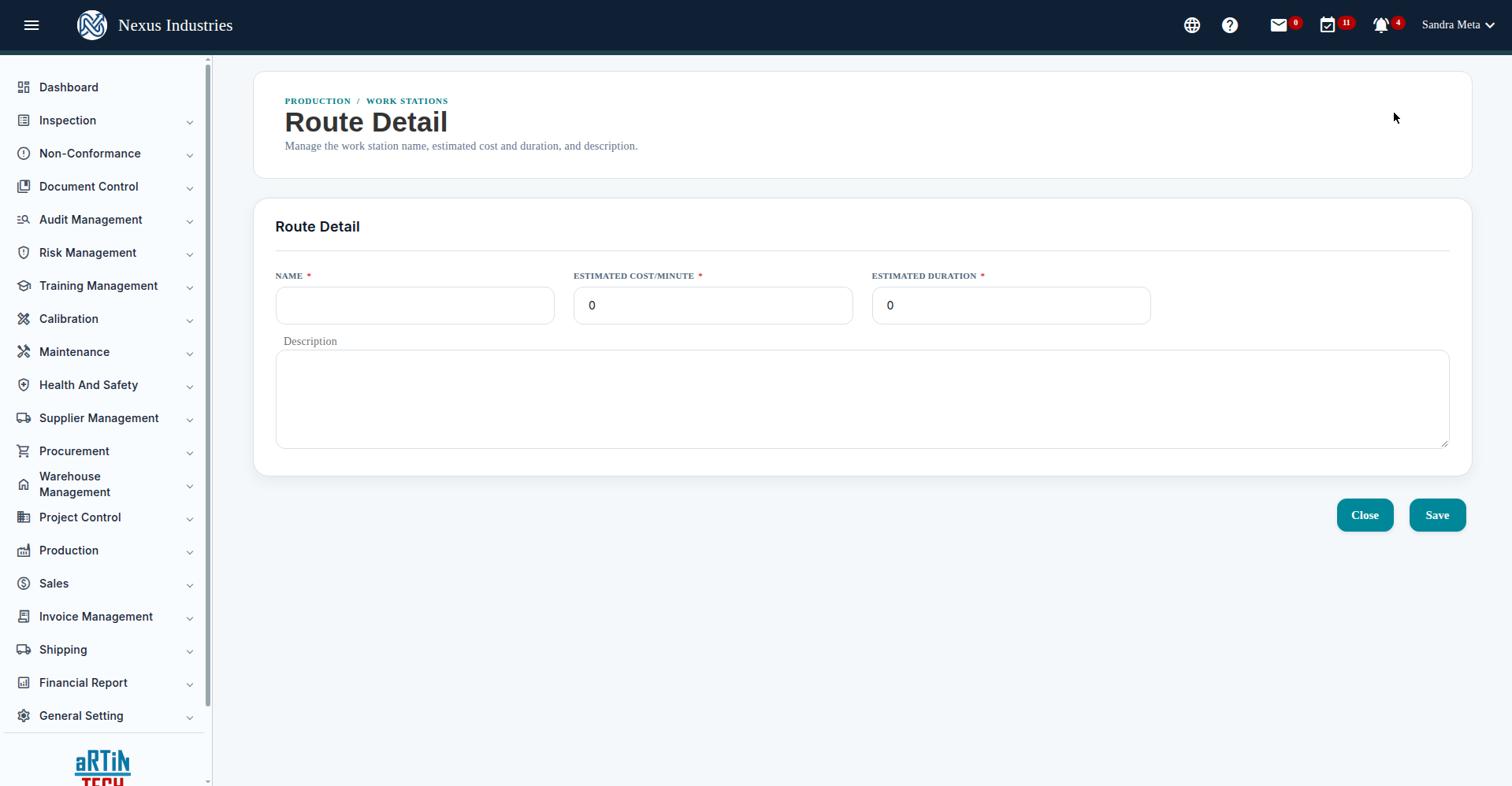
Go to Route and click New. Give the route a name and description, then add workstation steps in order: for each step choose the workstation, estimated cost/minute, estimated duration, and step order. A typical bakery route: Oven Baking → Cooling → Packaging.
4. Create a bill of materials (BOM) #
- Go to BOM List and click New.
- Name the BOM, choose the route, and set the output item (the finished good) with its cost allocation.
- Add the required parts with quantities — raw materials and packaging per batch.
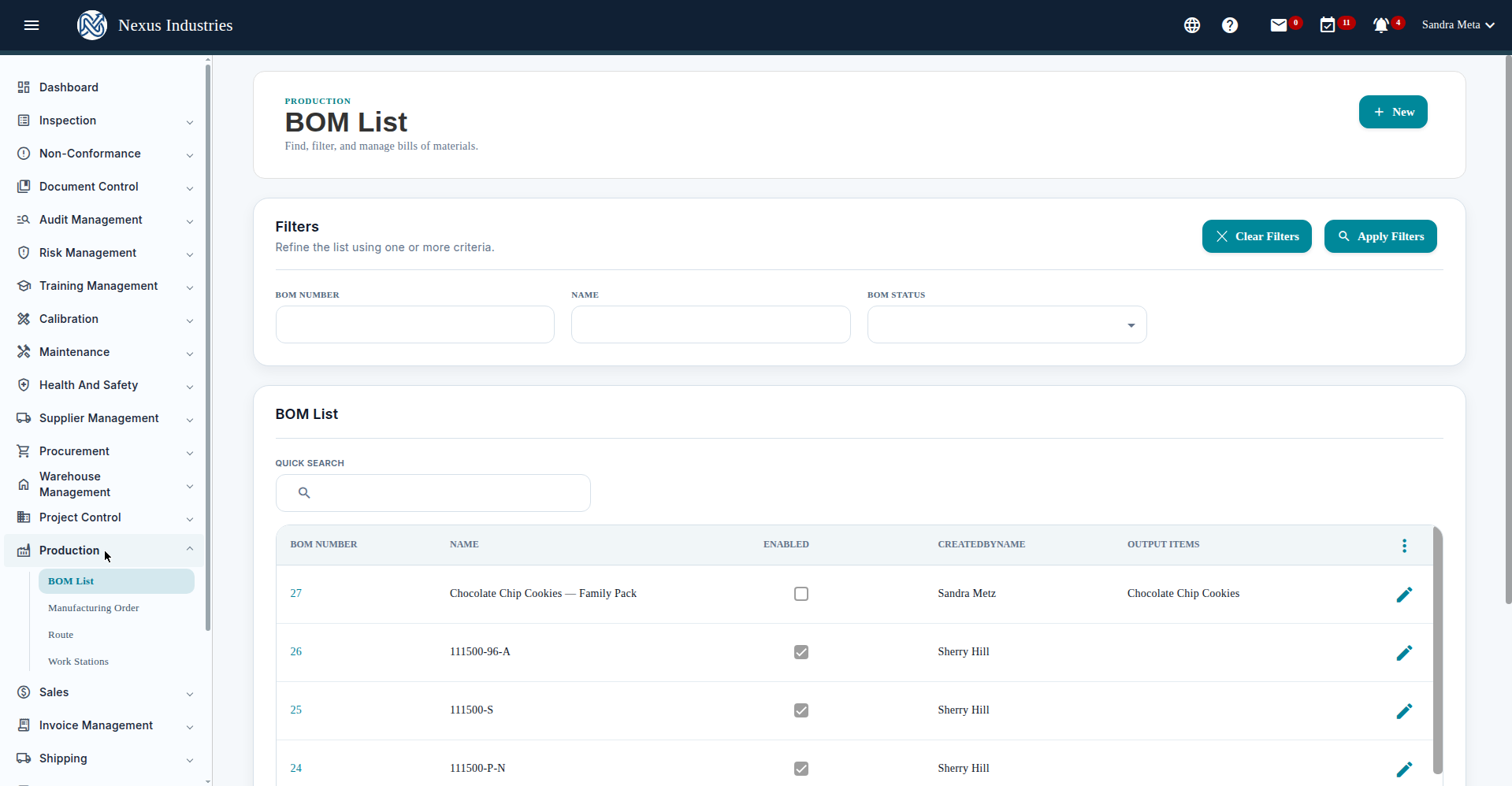
- Save. The BOM List shows BOM number, name, enabled flag, created by, and output items.
The BOM list has filters (BOM number, name, status), quick search, and column sorting.
5. Run a manufacturing order #
- Go to Manufacturing Order and click New.
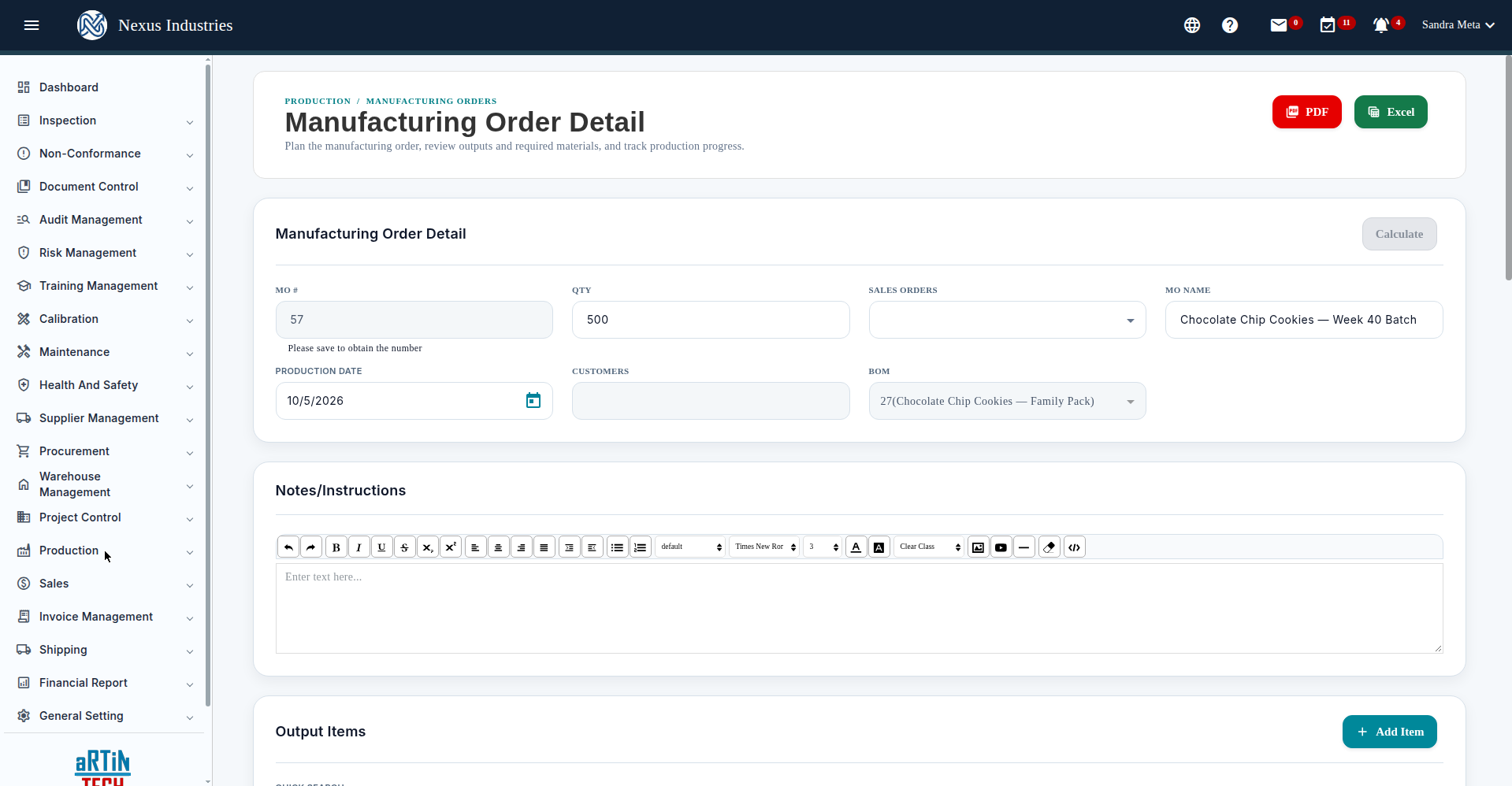
- Enter the order name, quantity, production date, and choose the BOM.
- Click Calculate — quantities for output and required materials scale automatically, and the route tasks appear with available stock shown per material.
- Save, then track route task completion and click Finish Production when done.
The Manufacturing Order detail carries PDF/Excel buttons, a notes editor, the Output Items table, the Required Input table (with available stock), and the Route task table.
6. Manage production day to day #
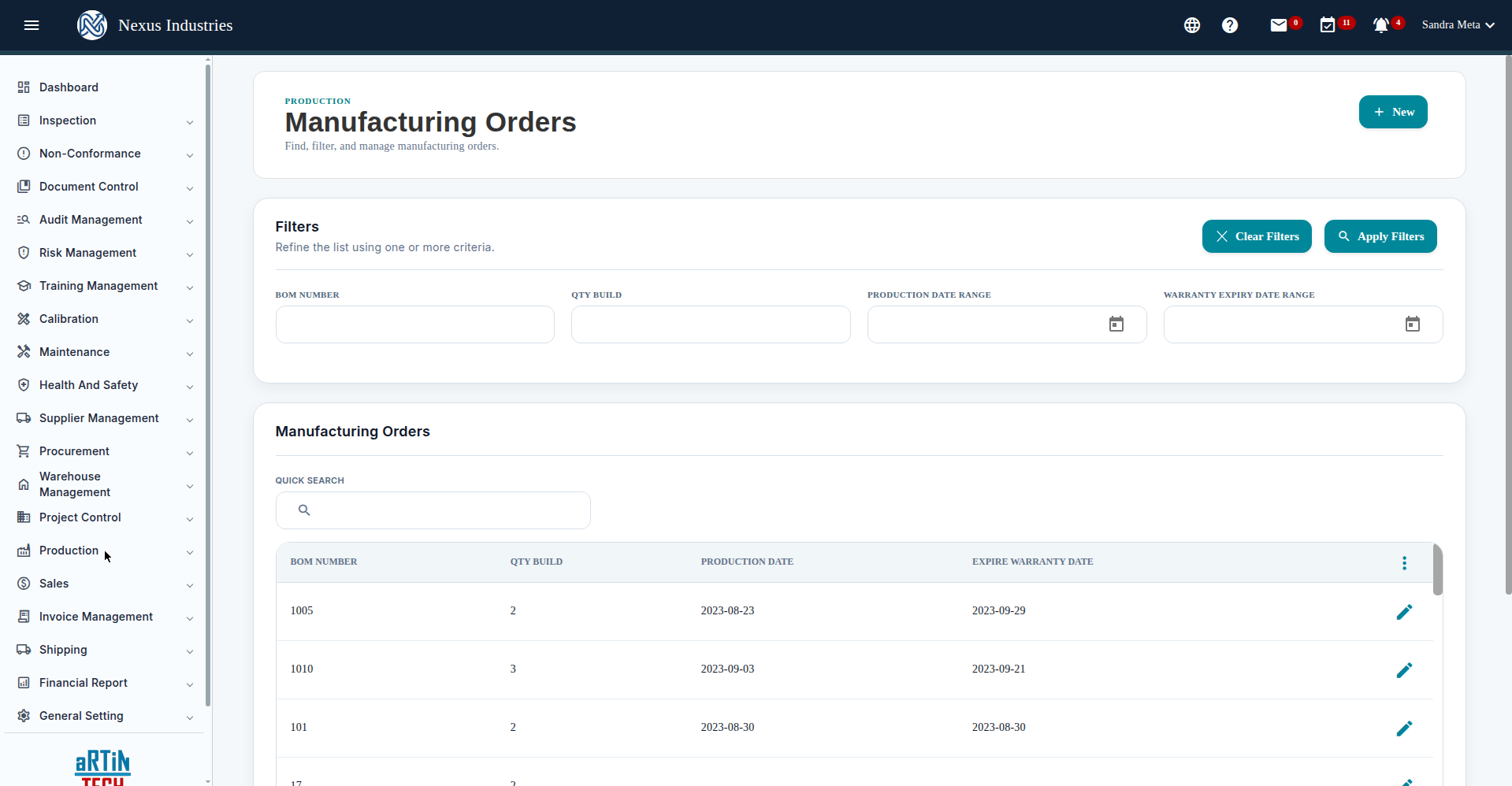
The Manufacturing Orders list (filters: BOM number, qty build, production date range, warranty expiry range) shows every run with pagination and quick search. Use the Route table on each order to check off tasks as the line completes them.
7. The full flow at a glance #
Stations (where) → Routes (ordered steps) → BOMs (what’s needed) → Manufacturing Orders (execute and complete).


