
Many companies start managing risk in Excel. At the beginning, this makes sense. A spreadsheet is familiar, flexible, inexpensive, and easy to create. A small team can list risks, add owners, create risk scores, and track mitigation actions without buying software.
But as the organization grows, the spreadsheet that once helped the company may start creating problems.
Risk owners miss due dates. Different departments use different formats. Files are copied, renamed, and emailed. Evidence is stored in folders or inboxes. Risk scores are inconsistent. Management cannot easily see which risks are critical. During audits, the team spends too much time searching for proof that risks were reviewed and actions were completed.
At that point, the company does not just need a better spreadsheet. It needs a better risk management process.
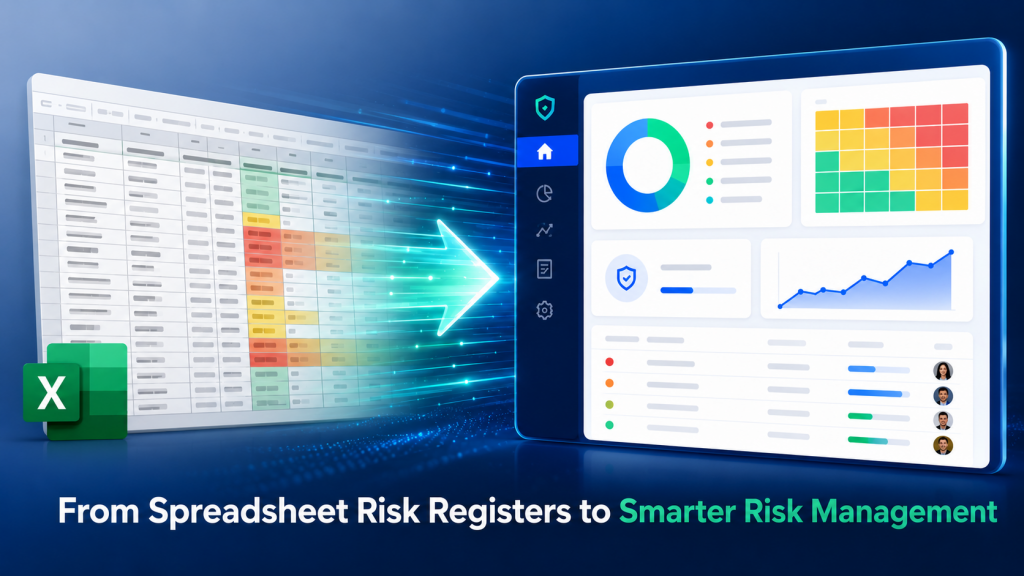
Why Companies Start with Spreadsheet Risk Registers #
Spreadsheets are popular because they are simple. A basic risk register can be created with columns such as risk name, risk description, severity, likelihood, risk level, owner, mitigation action, due date, and status. For a small business or an early-stage QMS, this may be acceptable. The company can begin documenting risks and building awareness. However, spreadsheets are not designed to manage workflow, accountability, approval, reminders, evidence, or integration with other quality processes. They store information, but they do not actively manage the process.
Common Problems with Spreadsheet Risk Registers #
The biggest problem with spreadsheet risk registers is not the spreadsheet itself. The problem is that risk management becomes dependent on manual discipline.
Version Control Problems #
One person may save the risk register on a local computer. Another person may email an updated copy. A third person may make edits to an older version. Soon, the team is no longer sure which file is the official record. In a QMS or compliance environment, this can create confusion and audit risk.
Missed Action Items #
Risk management depends on follow-up. If a mitigation action is assigned but no one is reminded, the action may remain incomplete. Spreadsheets do not automatically notify risk owners or escalate overdue tasks.
Weak Audit Trail #
Auditors often want to know when a risk was reviewed, who updated it, what changed, and what evidence supports the action. Spreadsheets usually do not provide a reliable audit trail unless the company adds additional controls.
No Easy Link to Evidence #
Risk mitigation often requires supporting records. These may include training records, calibration certificates, inspection results, supplier evaluations, audit reports, updated procedures, or CAPA records. In a spreadsheet system, this evidence is often stored separately.
Inconsistent Risk Scoring #
Different departments may interpret severity and likelihood differently. One team may call a risk “high,” while another team may treat a similar risk as “medium.” Without standardized scoring, management cannot compare risks across the organization.
Poor Management Visibility #
Senior management needs to see which risks are open, overdue, increasing, or under control. With spreadsheets, this often requires manual reporting and follow-up.
Disconnection from QMS Processes #
Risks are often connected to non-conformances, CAPA, audits, documents, training, calibration, suppliers, and inspections. When the risk register is separate from the QMS, these connections are easy to lose.
When Should You Move to Risk Management Software? #
A company should consider moving from spreadsheets to risk management software when risk management becomes difficult to control manually.
You may be ready for software if:
- Your risk register has many risks across multiple departments.
- You are preparing for ISO certification or customer audits.
- Risk owners often miss deadlines.
- You struggle to find evidence during audits.
- You need better management visibility.
- You want consistent risk scoring.
- You need to link risks to CAPA or non-conformance records.
- You have supplier, training, calibration, or document control risks.
- You want reminders, task tracking, and review schedules.
- You need a reliable history of updates and actions.
The decision is not only about company size. It is about complexity, accountability, and audit readiness.
What Risk Management Software Should Do #
Good risk management software should help the company manage the full risk lifecycle.
It should help users:
- Identify and document risks
- Assess severity and likelihood
- Prioritize high-risk items
- Assign risk owners
- Create mitigation actions
- Set due dates
- Track status
- Attach or link evidence
- Review risks periodically
- Generate reports
- Connect risks to other QMS processes
The software should be structured but not overly complicated. If the system is too complex, employees may avoid using it. For small and mid-sized companies, ease of use is critical.
Why Integration Matters #
Risk management should not sit alone. A risk register is more valuable when it connects to the rest of the QMS.
For example:
- A training risk should connect to training records.
- A calibration risk should connect to calibration schedules.
- A supplier risk should connect to supplier assessments.
- A document control risk should connect to document revision records.
- An audit finding should connect to corrective actions.
- A recurring non-conformance should trigger risk review.
This is where integrated QMS software becomes more powerful than a standalone spreadsheet.
Practical Example: Spreadsheet vs Software #
Imagine a company identifies a risk: “Employees may use outdated work instructions.” In a spreadsheet, the company may list the risk and assign an action to review document control procedures. But the document itself, the approval history, the training record, and the corrective action may all be stored elsewhere. In risk management software connected to QMS, the company can document the risk, assign an owner, create mitigation tasks, link the risk to document control, assign training, track action completion, and keep evidence in one controlled system. The difference is not just convenience. It is control.
Benefits of Moving to Digital Risk Management #
Moving from spreadsheets to software can provide several benefits:
- Better accountability
- Fewer missed actions
- More consistent risk scoring
- Improved audit readiness
- Centralized records
- Real-time management visibility
- Easier evidence collection
- Better connection to CAPA and audits
- Improved collaboration
- Stronger continuous improvement
For regulated or quality-focused organizations, these benefits can reduce stress during audits and help teams manage risks before they become costly problems.
How Artintech Helps Replace Spreadsheet Risk Registers #
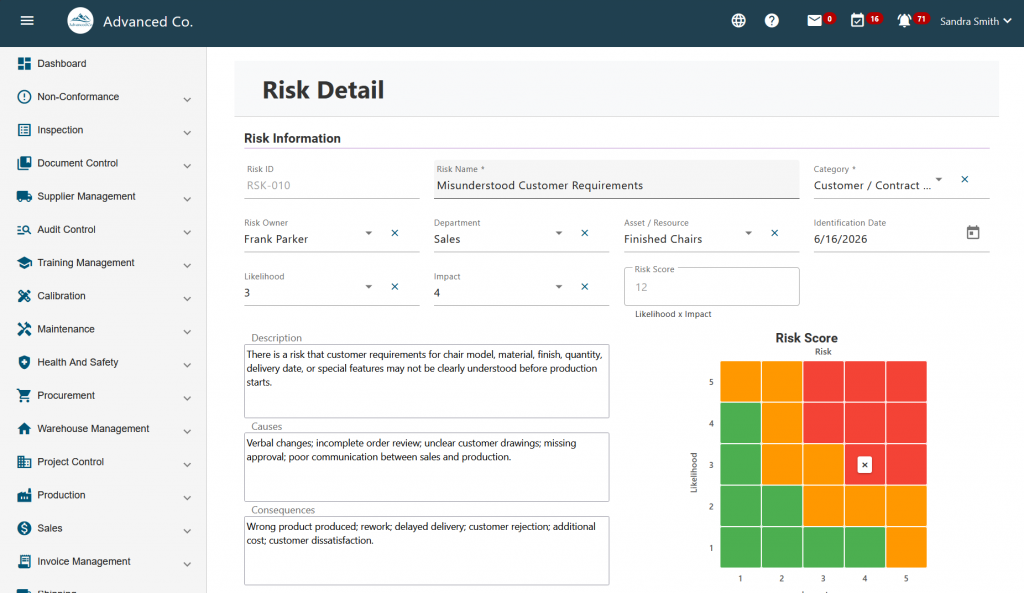
Artintech Risk Management Software helps companies move from static spreadsheets to a centralized, digital risk management process. Organizations can document risks, assess priority, assign responsibility, track mitigation actions, and improve visibility.
Artintech QMS also allows companies to connect risk management with related quality processes such as:
- Non-Conformance Management
- CAPA
- Audit Control
- Document Control
- Training Control
- Calibration Management
- Supplier Quality Assessment
- Inspection Control
- Task scheduling and follow-up
This makes risk management part of the company’s daily quality system, not a separate file that is only opened before audits.
Spreadsheets can be a useful starting point, but they are not always enough for a mature QMS. When risk management requires ownership, follow-up, evidence, review history, audit readiness, and integration with other quality processes, software becomes a practical next step. A good risk management system should help your team identify risks, assign actions, track progress, and prove that controls are working.
If your company is still using spreadsheet-based risk registers, Artintech Risk Management Software can help you build a more controlled, visible, and audit-ready process. Explore Artintech Risk Management Software or request a demo to see how your organization can replace manual risk tracking with a connected QMS platform.
Frequently Asked Questions #
Risk Management #
What is a risk register?
A risk register is a structured record of identified risks, their causes, potential consequences, risk level, owner, mitigation actions, due dates, status, and review history. It helps organizations track and control risks in a consistent way.
What is a risk register?How do you identify quality risks?
Quality risks can be identified through process reviews, audits, customer complaints, non-conformance reports, supplier performance data, training gaps, maintenance records, and employee feedback.
How do you identify quality risks?What should be included in a QMS risk register?
A QMS risk register should include the risk name, description, process or department, causes, consequences, severity, likelihood, risk level, risk owner, mitigation actions, due dates, status, review date, and supporting evidence.
What should be included in a QMS risk register?How does risk-based thinking connect to CAPA?
CAPA addresses root causes and prevents recurrence. Risk-based thinking helps prioritize issues and identify potential problems before they become non-conformances.
How does risk-based thinking connect to CAPA?Can I manage a risk register in Excel?
Yes, a small company can start with Excel. However, spreadsheets become difficult to manage when multiple departments, risk owners, due dates, evidence records, audits, and corrective actions are involved. Risk management software provides better control, visibility, and accountability.
Can I manage a risk register in Excel?What are the problems with spreadsheet risk registers?
Common problems include version control issues, missed deadlines, weak audit trails, inconsistent scoring, poor visibility, and disconnection from CAPA, audits, training, and documents.
What are the problems with spreadsheet risk registers?When should I move from Excel to risk management software?
You should consider software when your risk register becomes difficult to update, review, control, or defend during audits.
When should I move from Excel to risk management software?How does risk management software improve audit readiness?
Risk management software helps keep risk records centralized, updated, assigned, and traceable. It can support audit readiness by showing risk assessments, action plans, owners, due dates, review history, and evidence of completed mitigation actions.
How does risk management software improve audit readiness?How can software support ISO 9001 risk management?
Software can centralize risk records, assign owners, track actions, maintain evidence, connect risks to CAPA and audits, and provide better visibility for management.
How can software support ISO 9001 risk management?What is ISO 9001 risk-based thinking?
ISO 9001 risk-based thinking means identifying and addressing risks and opportunities that may affect the quality management system, customer satisfaction, compliance, or process performance.
What is ISO 9001 risk-based thinking?Is a risk register required for ISO 9001?
ISO 9001 requires organizations to consider risks and opportunities as part of their quality management system. The standard does not force every company to use the same format, but a risk register is one of the most practical ways to document and manage risk-based thinking.
Is a risk register required for ISO 9001?


