
Artintech ERP’s Health & Safety module covers the two pillars of workplace safety: incident reporting (near misses, accidents, observations) and safety inspections (recurring walkthroughs with reports). This tutorial walks you through both using realistic food-manufacturing examples.
1. Open the Health & Safety module #
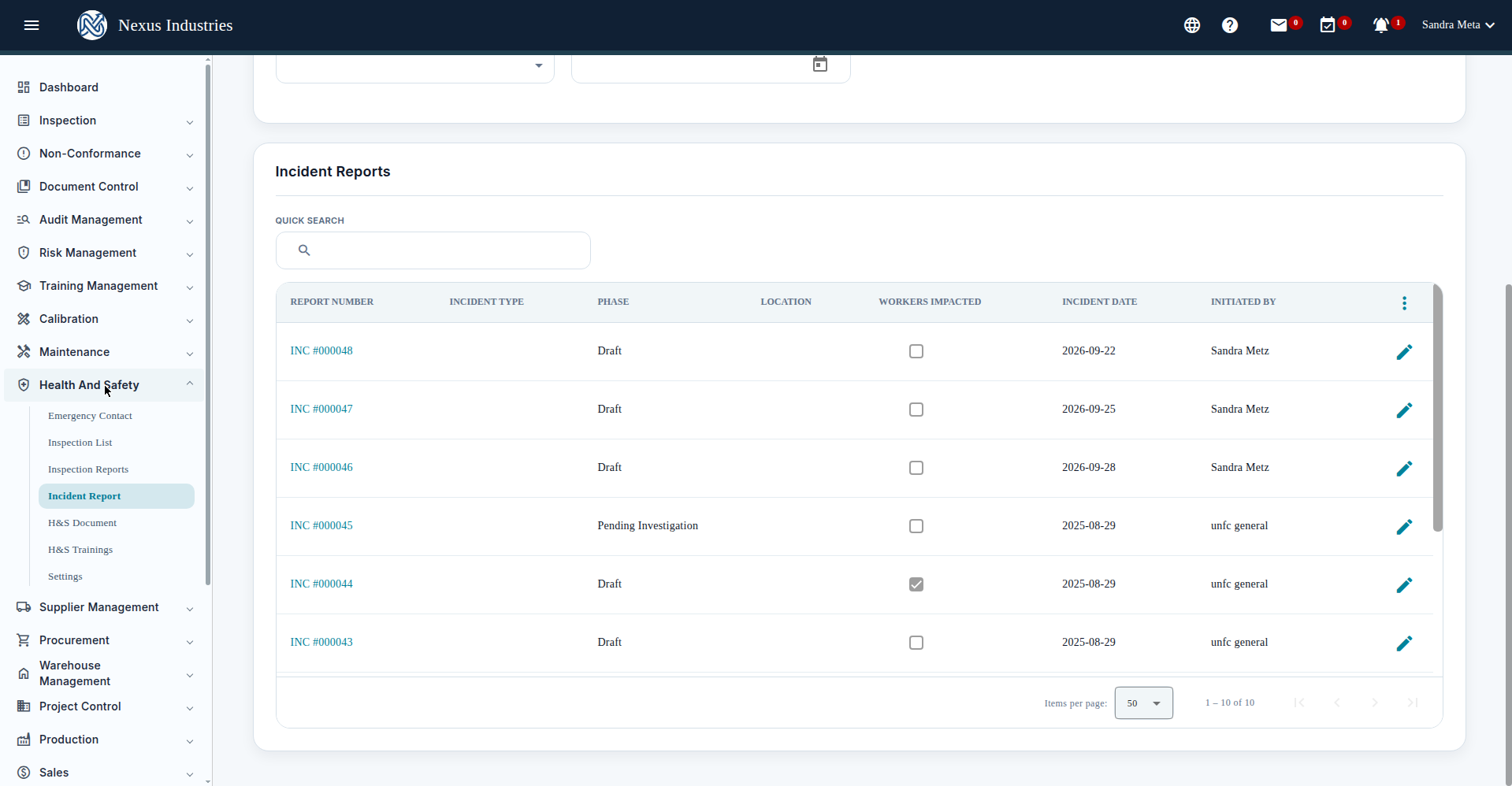
From the left sidebar, open Health And Safety. You’ll see its sections: Emergency Contact, Inspection List, Inspection Reports, Incident Report, H&S Document, H&S Trainings, and Settings.
2. Report an incident #
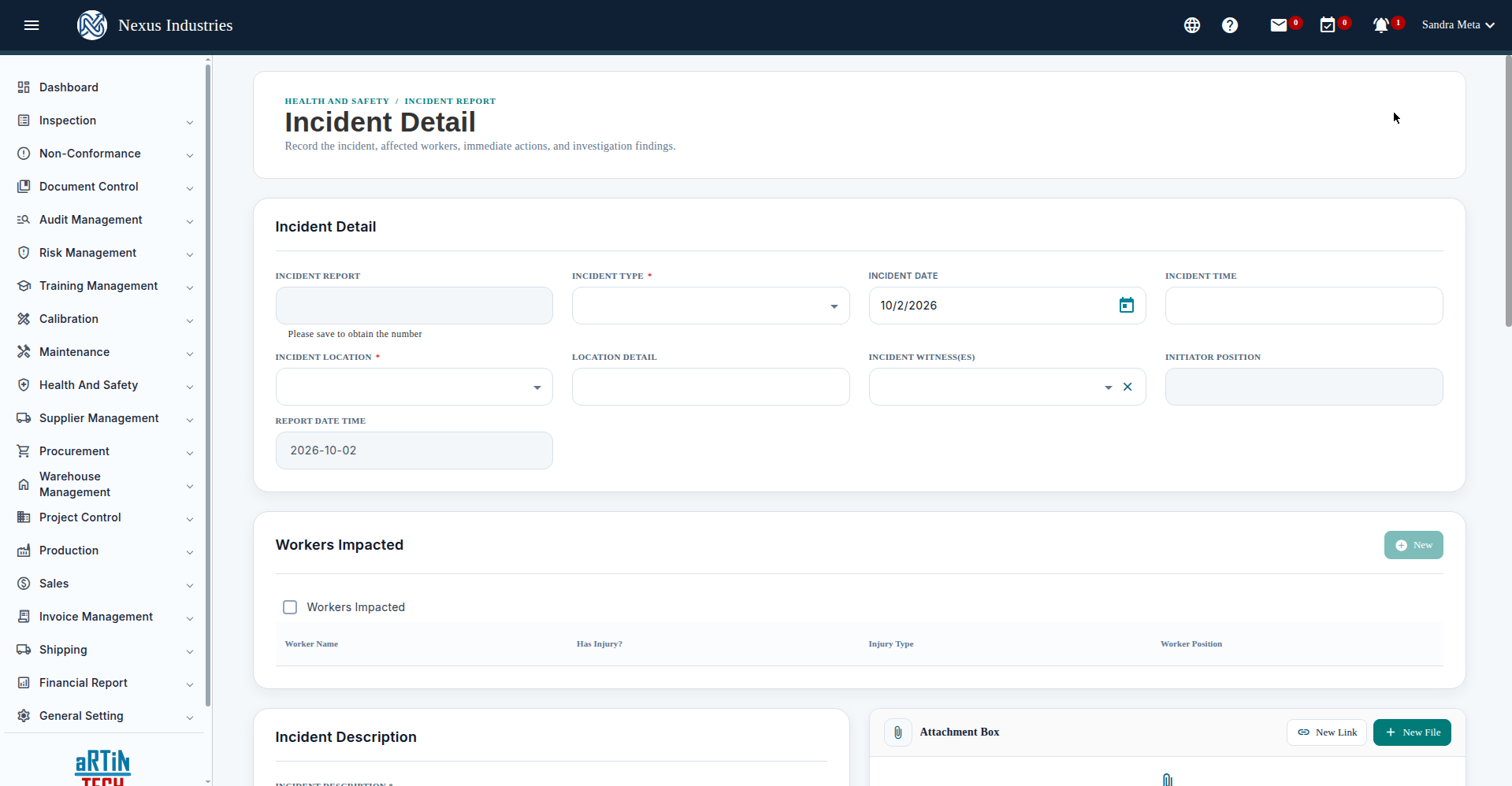
- Go to Health And Safety → Incident Report and click New.
- Fill in the form: Incident Type (required) — Accident, Near Misses, Safety, Violence, or Observation; Incident Date and Incident Time — use the calendar picker; Incident Location (required) and Location Detail; Incident Witness(es), Initiator Position; Workers Impacted — check the box and add each worker with injury details; Incident Description — what happened.
- Save. New incidents start as Draft. The lifecycle runs: Draft → Pending Investigation → Closed.
3. Investigate and close #
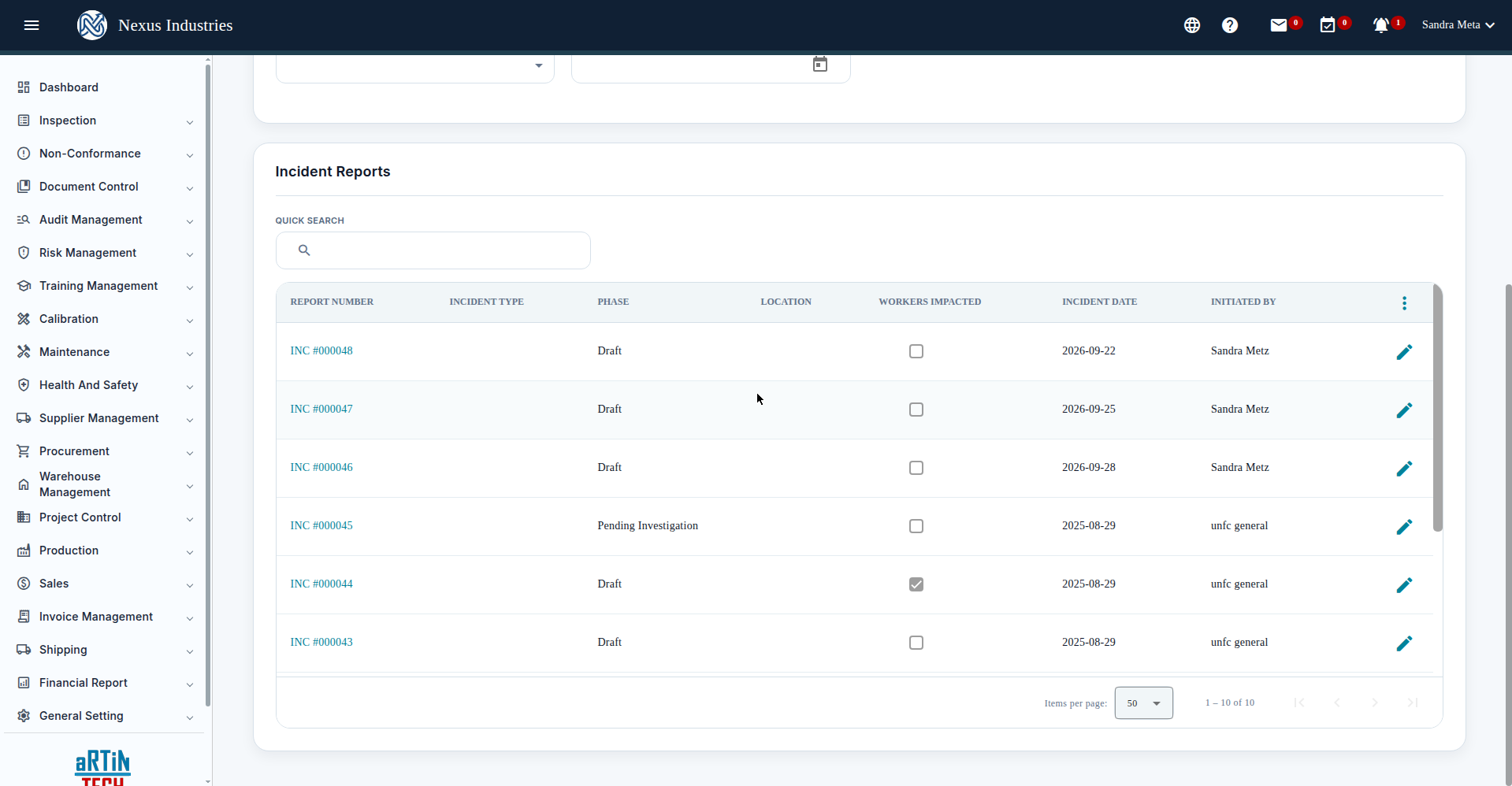
Open an incident to investigate: the detail page has an Investigation section (team grid, links/files, root cause and contributing factors) and Related CAPA Forms (Raise CAPA / Add CAPA, with a Requires CAPA checkbox). Use Submit Request to move the incident to Pending Investigation, and Close Report when the investigation and corrective actions are complete.
The Incident Report list shows every report with its phase, workers impacted, incident date, and initiator — with filters by report number, type, location, phase, workers impacted, and date range, plus quick search and Excel export.
4. Run recurring safety inspections #
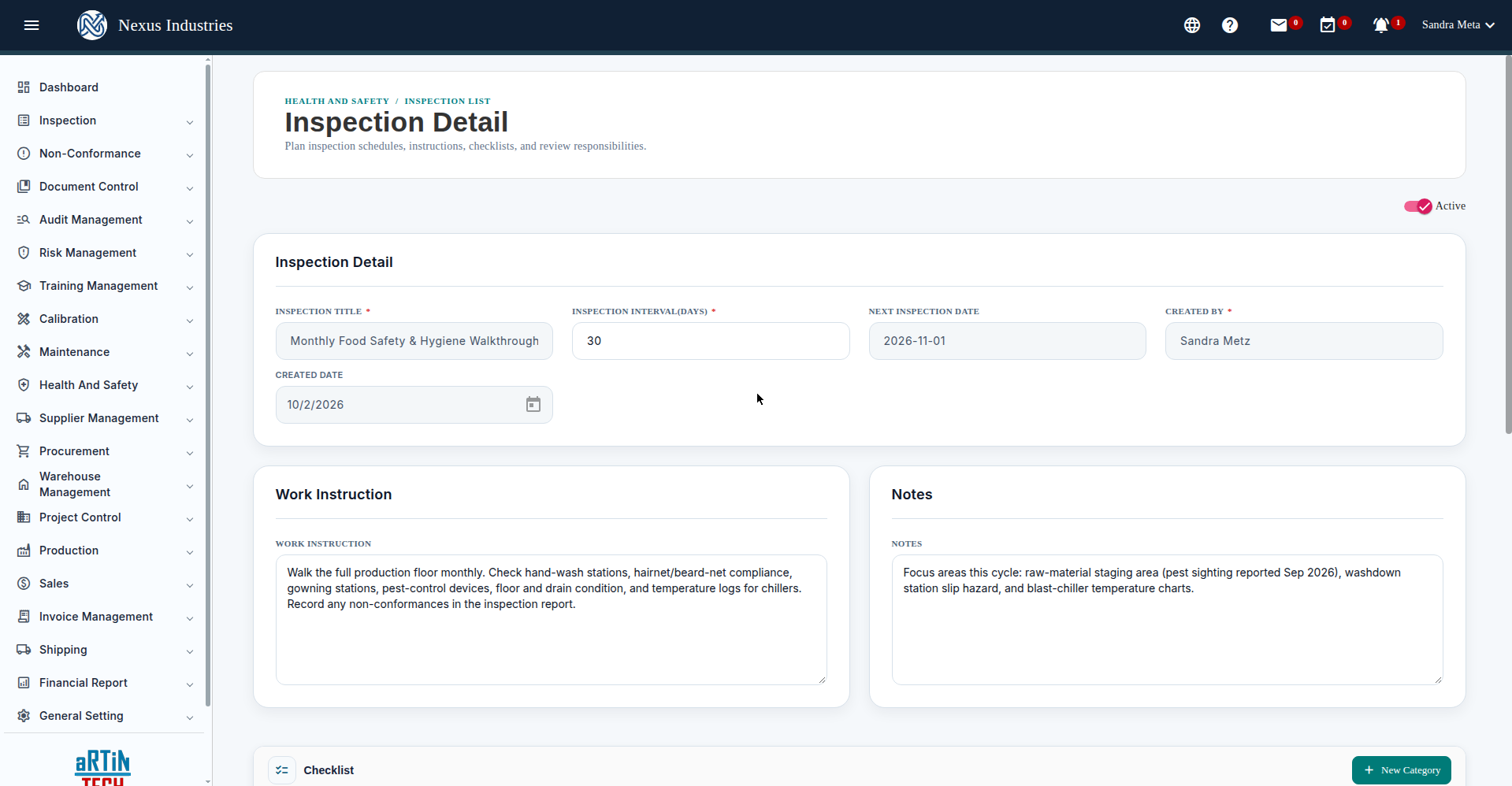
- Go to Inspection List and click New.
- Fill in: Inspection Title (required) — e.g. “Monthly Food Safety & Hygiene Walkthrough — Production Floor”; Inspection Interval (Days) (required) — e.g. 30; the Next Inspection Date is computed from the interval; Work Instruction and Notes.
- Save. Each cycle, click New Report on the inspection to record the findings as an inspection report.
5. The full flow at a glance #
Report (capture every incident, near miss, and observation) → Investigate (root cause, team, evidence) → Correct (CAPAs where needed) → Close. Alongside that, inspect on a schedule — walkthroughs with work instructions and reports — so hazards get found before they become incidents.


