
About the 8D method: #
The Eight Disciplines (8D) method is a structured problem-solving framework widely used in quality management and manufacturing environments. Originally developed for resolving recurring process and product issues, it guides teams through a logical sequence that includes team formation, problem definition, containment, root cause analysis, corrective action, validation, and prevention. The strength of 8D lies in its focus on evidence-based investigation and long-term effectiveness rather than quick fixes. When applied within a CAPA system, the 8D method helps organizations systematically eliminate causes of nonconformities while improving process stability and risk control.
Why this structured CAPA analysis works: #
The 8D-based CAPA response provides a disciplined and repeatable approach to problem solving. By separating containment, root cause analysis, corrective actions, and preventive actions, the method ensures that teams do more than simply fix symptoms. It drives investigation into why the issue occurred, why it was not detected earlier, and what systemic weaknesses allowed it to happen. This structure promotes cross-functional collaboration, reduces recurrence, improves detection capability, and strengthens overall process control. As a result, organizations achieve more sustainable quality improvements, lower risk, and higher customer confidence.
How to use this guide: #
Whether quality managers and technicians are working with Artintech’s QMS, another QMS platform, or even a simple Excel-based tracking sheet, the fundamental logic of an effective CAPA response remains the same. The steps that follow outline a practical, structured approach aligned with the 8D method. By progressing through each discipline in sequence, teams can move from problem identification to containment, root cause analysis, corrective action, validation, and long-term prevention in a consistent and auditable manner.
Step-by-step guide: #
Necessary Header Fields #
CAPA Number
Unique identifier automatically assigned to track the CAPA.
Due Date
Target completion date for all corrective / preventive actions.
Initiated By
Person who raised the CAPA.
Assignee
Responsible owner coordinating investigation and actions.
Approver
Authorized person who reviews and approves closure.
Problem Type
Category of issue (Quality, Process, Supplier, Safety, etc.).

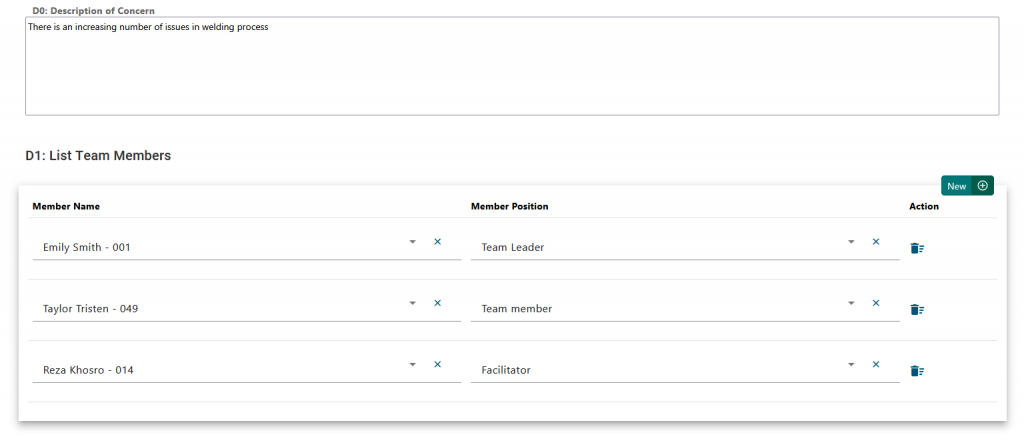
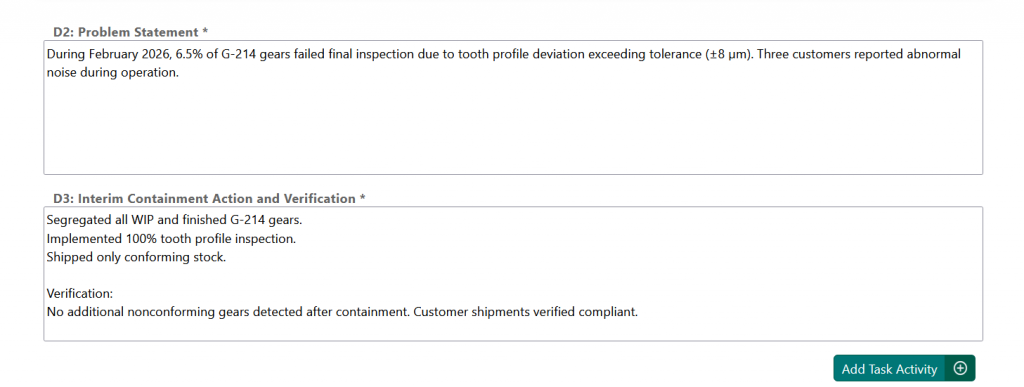
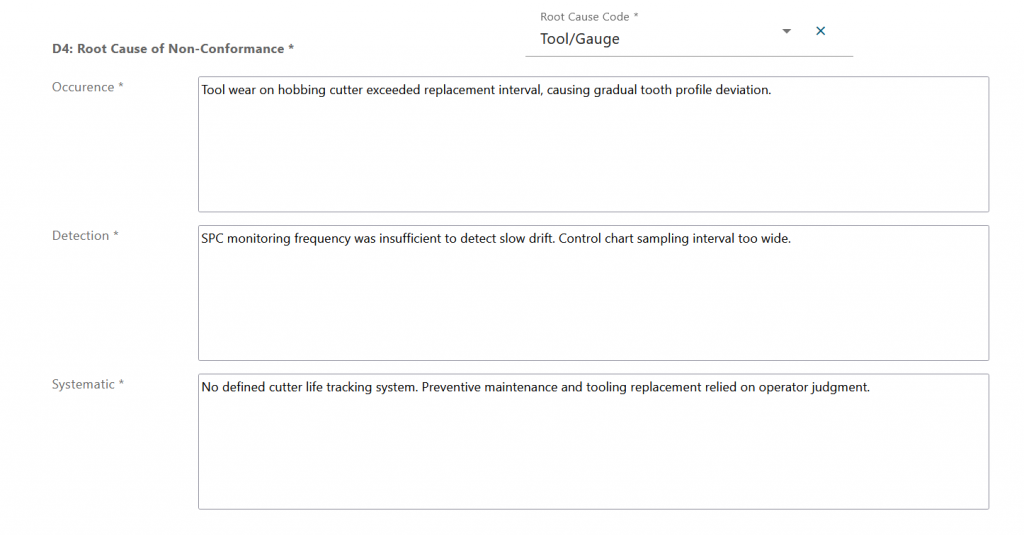
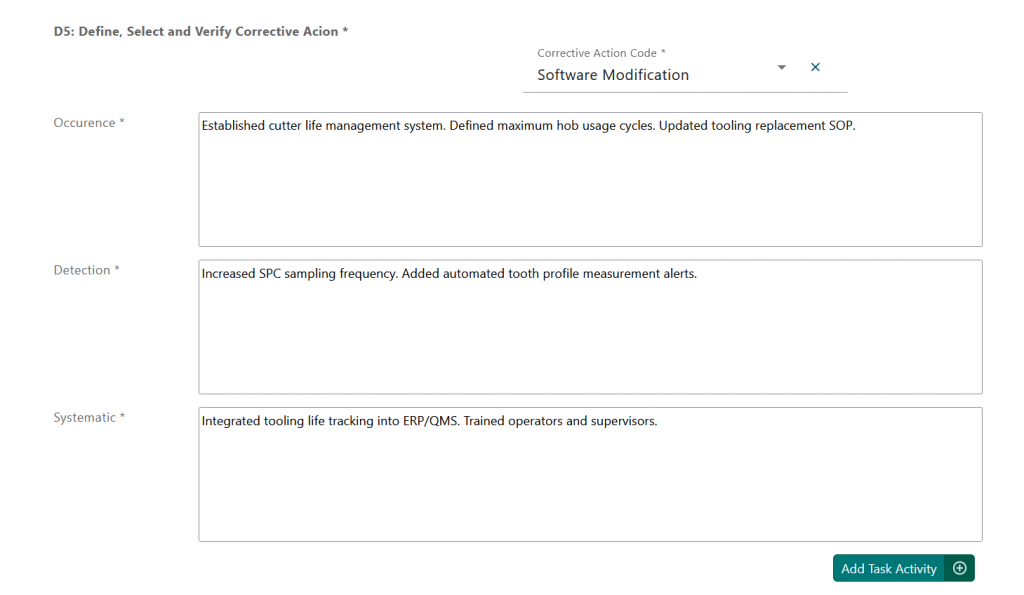
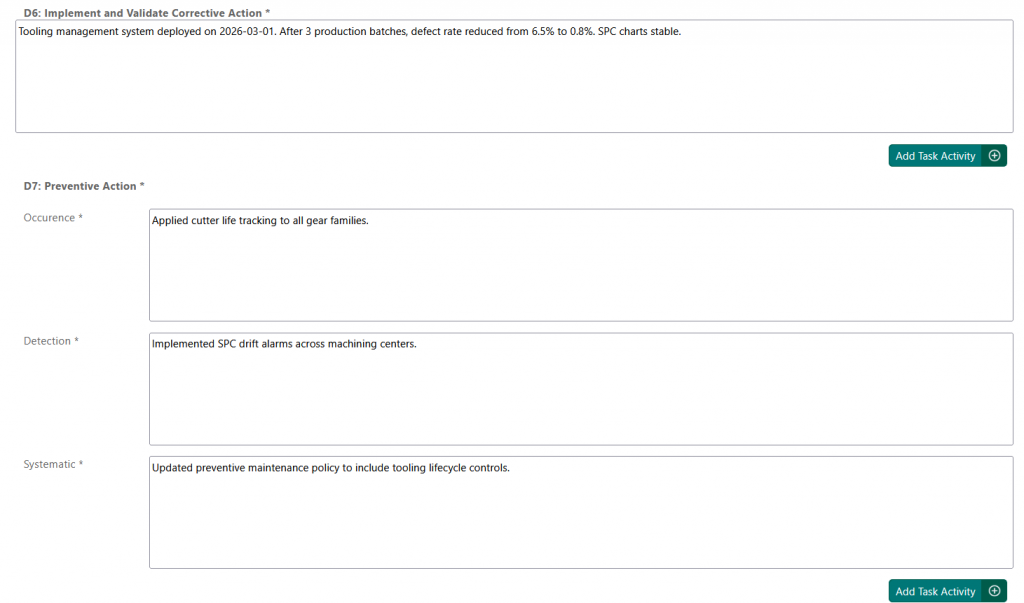
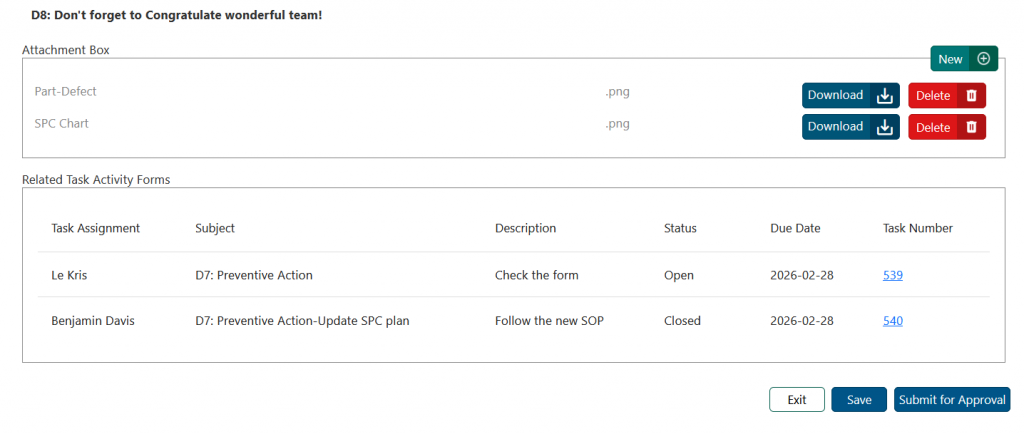
Final Step: Approval #
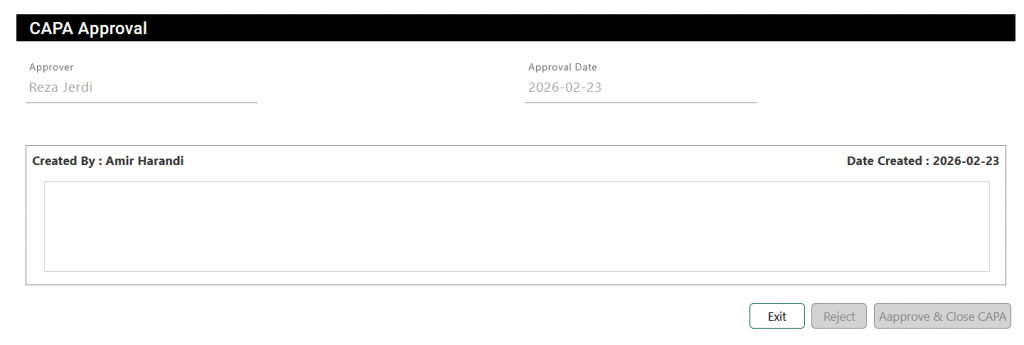
Once all sections are completed, submit the CAPA for approval. The approver will receive a notification and can either approve the report with comments or reject it. If rejected, the CAPA should be updated as required and resubmitted for review.
What is next? #
An effective CAPA process goes beyond documentation; it requires coordination, visibility, and follow-through. Solutions such as Artintech QMS extend these benefits by supporting task tracking, automated follow-ups, and clear accountability. They also unify and link inspections, non-conformances, deviations, and CAPA records into a connected quality ecosystem. With integrated managerial reporting, organizations gain better insight into trends, risks, and process performance, enabling faster decisions and continuous improvement.


