
Artintech ERP’s Financial Report module is a reporting hub: account statement reports (accounts receivable), inventory reports, and supplier invoices — so you can see what customers owe, what stock is on hand, and what suppliers are billing. This tutorial walks through each.
1. The Financial Report module at a glance #
The module’s three sections:
- Account Statement Report — AR summary with filters (payment status, currency, invoice/due/reminder date ranges, quick search), Excel/PDF/Print buttons, per-currency summary cards, column sorting, and “Open customer statement” drill-down.
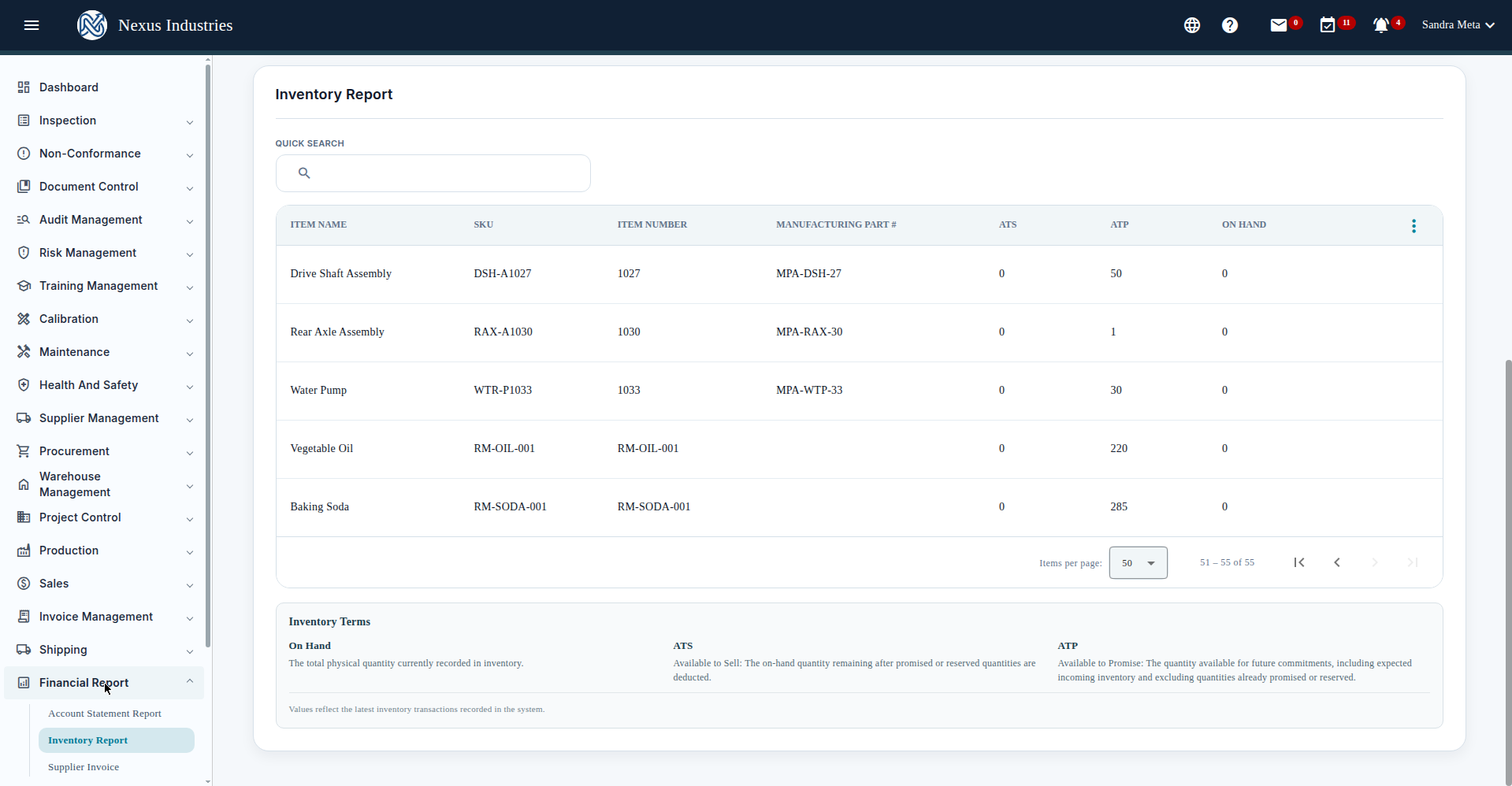
- Inventory Report — item availability (ATS, ATP, On Hand) with warehouse, item, and status filters, plus a Hide/Show Zero QTY toggle.
- Supplier Invoice — accounts-payable entry with supplier invoices, drafts, and submission.
2. Read the accounts-receivable report #
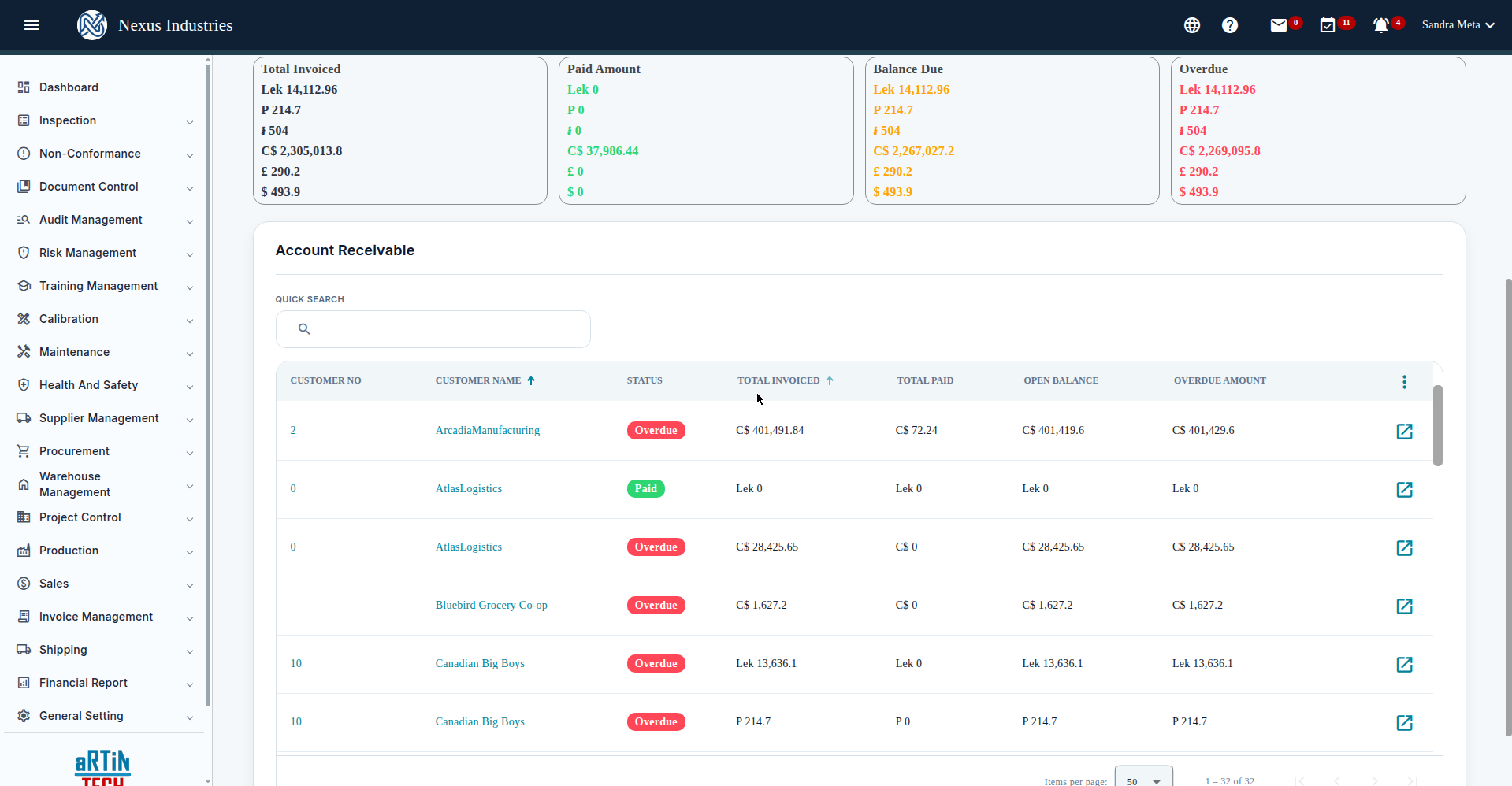
Go to Account Statement Report to see the AR picture: summary cards per currency (Total Invoiced, Paid Amount, Balance Due, Overdue) and one row per customer with customer number, status, total invoiced, total paid, open balance, and overdue amount. Filter by payment status, currency, or date range, then drill into a customer’s statement.
Click Open customer statement for the detail: customer header, billing address, per-currency summary cards, and the invoice table (invoice #, PO #, date, discount, total, paid, balance due, status) with its own filters, quick search, and Excel export.
3. Check the inventory report #
Go to Inventory Report to see stock positions: item name, SKU, item number, manufacturing part #, ATS (Available to Sell), ATP (Available to Promise), and On Hand — with warehouse and item-status filters, Hide/Show Zero QTY, and customizable columns.
4. Enter a supplier invoice #
- Go to Supplier Invoice and click New.
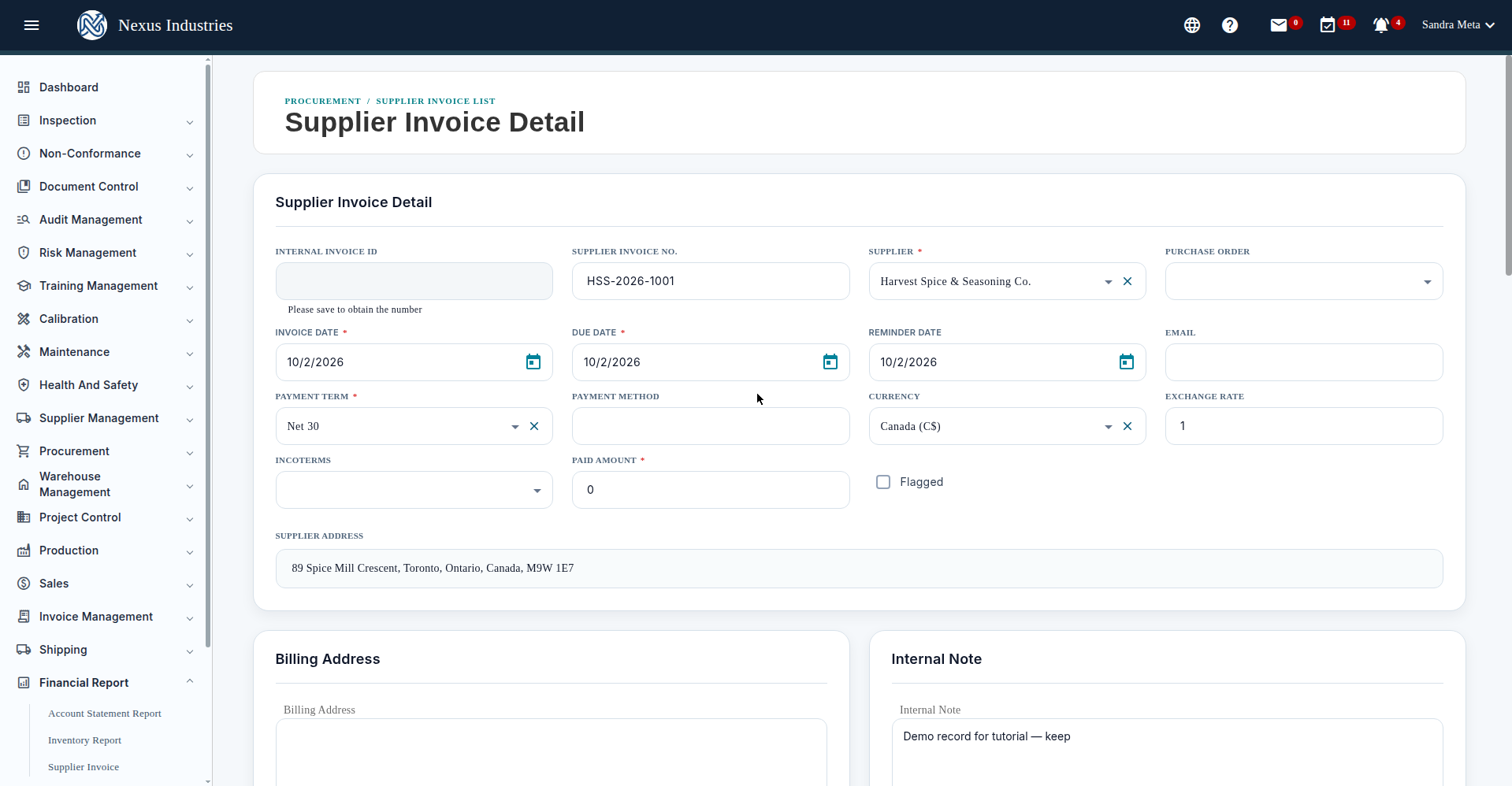
- Fill in the required fields: Supplier, Invoice Date, Payment Term, and Paid Amount — Save stays disabled until they’re set.
- Add line items (item, number, SKU, UOM, rate, qty, discount, tax), billing address, and notes.
- Save as a draft first; Submit when ready. Demo invoices (all Draft, kept): HSS-2026-1001 (Harvest Spice & Seasoning Co., Mixed Spices 40 kg, C$1,582.00), LDI-2026-1002 (Lakeside Dairy Ingredients, Milk Powder 100 kg, C$2,825.00), AAC-2026-1003 (ACE Agro Corp., Vegetable Oil 200 lb, C$1,017.00) — all ON HST 13%, referencing October production.
5. Add context with notes #
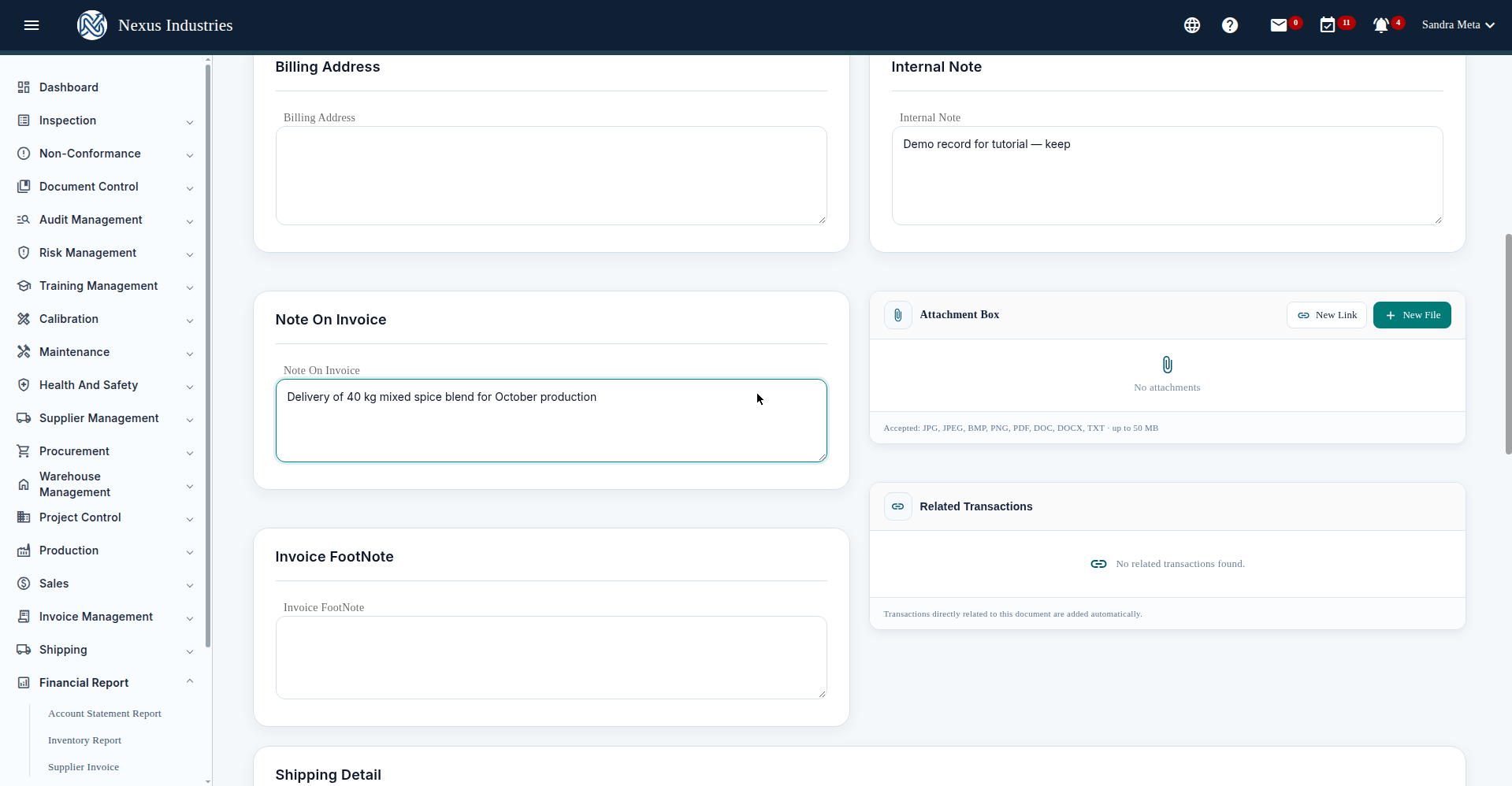
The invoice form carries billing address, internal notes (not shown on the invoice), notes printed on the invoice, footnotes, an attachment box (JPG–ZIP, up to 50 MB), and auto-linked Related Transactions. Demo invoices note their October production deliveries; internal notes mark them as tutorial records.
6. The full flow at a glance #
Receivable (who owes you) → Inventory (what you have) → Payable (what you owe) — the three lenses of a manufacturer’s money, in one reporting module.


