
Risk management is often treated as a separate activity. A company may have a risk register in one spreadsheet, corrective actions in another file, audit findings in a folder, and controlled documents in a separate system. This may work temporarily, but it creates a serious weakness in the Quality Management System.
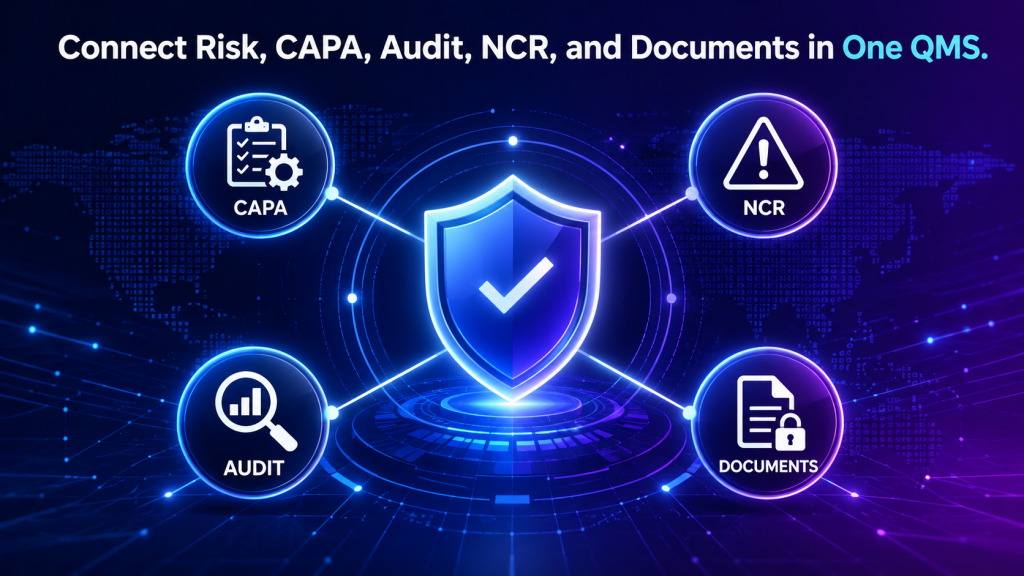
In a strong QMS, risk management should not stand alone. It should connect with CAPA, non-conformance management, audit control, document control, training, calibration, inspection, and supplier quality.
When these processes are connected, the organization can understand not only what went wrong, but why it happened, how serious the risk is, what actions are needed, and whether the solution was effective.
Why Risk Management Should Be Integrated #
Risk management is about uncertainty. CAPA is about correcting and preventing problems. Non-conformance management is about controlling failures when requirements are not met. Audits are about checking whether the system works. Document control ensures people use the right information. Training ensures people know how to perform their work. These processes are naturally connected. For example, an internal audit may find that employees are using an outdated work instruction. That finding may create a non-conformance. The root cause may be weak document control. The corrective action may include revising the document process and retraining employees. The risk register should then be updated to reflect the risk of uncontrolled documents. If these records are disconnected, the organization may miss the bigger picture.
Risk Management and Non-Conformance #
A non-conformance occurs when a requirement is not met. This may involve a product, process, supplier, document, inspection, training record, or customer requirement.
Every serious non-conformance should raise a risk question:
- Could this happen again?
- What would be the impact?
- Was this risk already identified?
- Were existing controls ineffective?
- Should the risk score be updated?
- Are additional mitigation actions needed?
For example, if incoming inspection finds repeated supplier defects, the company should not only create non-conformance records. It should also review supplier risk. The supplier may need closer monitoring, additional inspection, corrective action, or replacement.
By connecting non-conformance management with risk management, the company can move from reacting to individual failures to controlling the pattern behind them.
Risk Management and CAPA #
CAPA stands for Corrective and Preventive Action. It is one of the most important processes in a QMS.
Corrective action addresses an existing problem. Preventive action focuses on avoiding future problems. Risk management supports both.
A risk register can help prioritize CAPA activities. Not every issue has the same level of risk. A minor documentation error may not require the same level of attention as a recurring product defect affecting customers.
When CAPA is connected to risk management, the company can:
- Prioritize high-risk issues
- Assign actions based on risk level
- Verify whether controls reduce risk
- Update risk scores after actions are completed
- Show auditors that corrective actions are linked to risk-based thinking
This makes CAPA more strategic and less administrative.
Risk Management and Audit Control #
Audits are one of the best ways to identify risk. Internal audits, supplier audits, customer audits, and certification audits can all reveal weaknesses in the management system. An audit finding may show that a process is not controlled. It may also show that a risk was not identified, underestimated, or not properly mitigated.
Examples include:
- Missing training records
- Incomplete calibration records
- Unapproved documents in use
- Supplier evaluations not completed
- Corrective actions overdue
- Inspection records missing
- Process changes not reviewed
- Risk register not updated
When audit findings are connected to the risk register, the company gains better visibility. High-risk findings can be escalated. Recurring findings can be analyzed. Management can see which areas of the QMS need more attention.
Risk Management and Document Control #
Document control is one of the most common sources of QMS risk. If employees use outdated procedures, forms, drawings, specifications, or work instructions, the organization may produce inconsistent results.
Document control risks may include:
- Outdated documents in use
- Unapproved procedures
- Missing revision history
- Employees using uncontrolled copies
- Documents not reviewed on time
- Customer requirements not updated
- Work instructions not available at point of use
A controlled document system helps reduce these risks, but risk management helps identify which documents are most critical and what controls are needed. For example, an outdated final inspection procedure may create a higher risk than an outdated internal meeting form. Risk-based thinking helps the company focus on what matters most.
Risk Management and Training #
Training is one of the most effective risk controls. Many quality problems happen because people do not know the correct process, do not understand customer requirements, or have not been trained on updated documents.
Training-related risks may include:
- New employees performing work without training
- Training records missing
- Employees not trained after document revisions
- Critical tasks assigned to unqualified staff
- Training effectiveness not verified
When risk management is connected to training control, the organization can identify which roles, tasks, and processes require stronger competency management.
Risk Management and Calibration #
Calibration risk is especially important in manufacturing, laboratories, food production, medical devices, aerospace, automotive, and other quality-sensitive industries. If a measuring device is overdue for calibration or produces inaccurate results, product acceptance decisions may be unreliable.
Calibration-related risks may include:
- Expired calibration
- Missing calibration records
- Critical gauges not identified
- Measurement uncertainty not considered
- Equipment used after failing calibration
- No reminder for calibration due dates
By connecting risk management with calibration management, companies can prioritize critical instruments and maintain stronger control over inspection reliability.
Risk Management and Supplier Quality #
Supplier performance can directly affect quality, delivery, compliance, and customer satisfaction. Supplier risk should be part of the QMS. Supplier risks may include:
- Late delivery
- Non-conforming materials
- Missing certificates
- Poor communication
- Single-source dependency
- Supplier process changes
- Regulatory or compliance issues
- Weak corrective action response
Supplier risk management should connect with supplier assessment, incoming inspection, non-conformance, CAPA, and purchasing controls.
Why Disconnected QMS Tools Create Problems #
Disconnected tools create gaps. A risk may be listed in one place, but the related CAPA may be somewhere else. An audit finding may identify a document issue, but the risk register may never be updated. A training issue may be corrected once, but the company may not recognize it as a recurring risk.
This creates several problems:
- Poor visibility
- Duplicate work
- Missed follow-up
- Weak audit evidence
- Inconsistent decisions
- Recurring problems
- Unclear accountability
- Slow response to high-risk issues
An integrated QMS helps reduce these problems by connecting related records and making the system easier to manage.
How Artintech Supports Integrated QMS Risk Management #
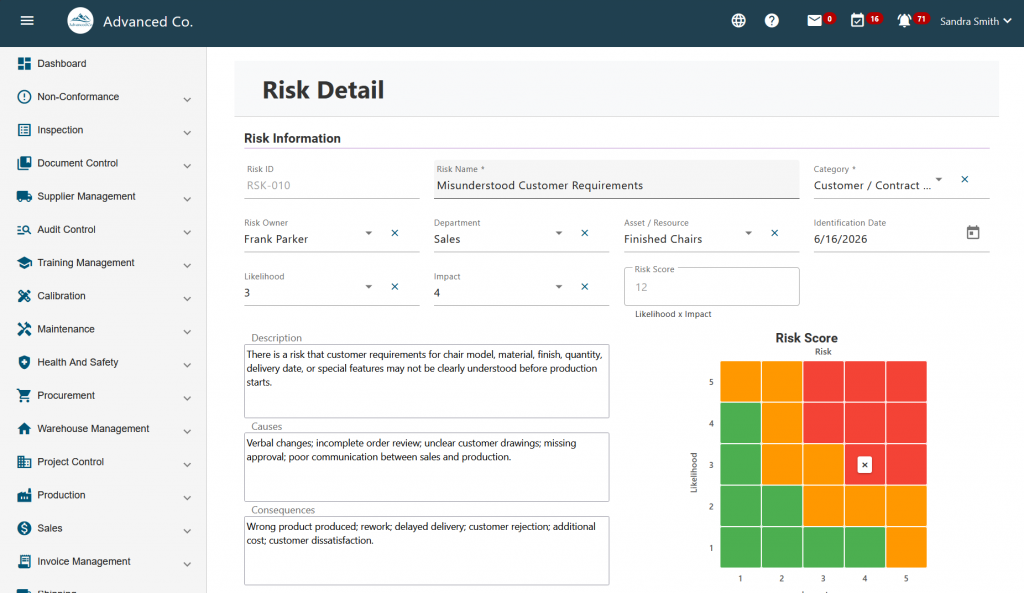
Artintech QMS helps organizations manage risk as part of a connected quality system. Instead of keeping risk registers, CAPA records, audit reports, documents, and training records in separate places, companies can manage quality processes in an integrated digital environment.
Artintech QMS supports processes such as:
- Risk Management
- Non-Conformance Management and CAPA
- Audit Control
- Document Control
- Training Control
- Calibration Management
- Supplier Quality Assessment
- Inspection Control
- Task scheduling and follow-up
This integrated structure helps companies improve audit readiness, reduce manual follow-up, increase visibility, and strengthen continuous improvement.
Risk management is more effective when it is connected to the rest of the QMS. A risk register alone is useful, but a risk register connected to CAPA, non-conformance, audits, documents, training, calibration, and supplier quality is much more powerful.
A connected QMS helps companies identify patterns, assign responsibility, track actions, maintain evidence, and prevent recurring problems.
If your organization manages risk in one system, CAPA in another, audits in another, and documents somewhere else, it may be time to consider an integrated QMS platform.
Explore Artintech QMS or book a free consultation to see how your company can connect risk management with the quality processes that matter most.
Frequently Asked Questions #
Risk Management Integration #
How does risk management connect with CAPA?
Risk management helps prioritize CAPA by identifying which issues have the highest potential impact. CAPA actions can also reduce risk levels when they are completed and verified.
How does risk management connect with CAPA?Should non-conformances be linked to risk records?
Yes. Serious or recurring non-conformances should be reviewed against the risk register to determine whether the risk was known, underestimated, or not properly controlled.
Should non-conformances be linked to risk records?How do audits support risk management?
Audits identify weaknesses in processes, controls, records, training, and documentation. These findings can be used to update risk records and assign mitigation actions.
How do audits support risk management?Why is document control important for risk management?
Uncontrolled or outdated documents can create process errors, inconsistent work, audit findings, and non-conformances. Document control reduces this risk.
Why is document control important for risk management?Why use integrated QMS software?
Integrated QMS software connects risks, CAPA, audits, non-conformances, documents, training, calibration, and supplier quality so the organization can manage quality more effectively.
Why use integrated QMS software?


